Australian Owned & Operated Company




How to Install a Fridge Barrier
How to Install a Fridge Barrier
Adventure Kings Fridge Barriers are the perfect addition to your vehicle, maximising your vehicle’s storage as well as added protection for your Fridge/Freezer. Follow along with Mitch as he shows you step by step just how easy it is to install one! The process is the same, no matter what size Adventure Kings Fridge Barrier you own!
|
PARTS REQUIRED |
Adventure Kings Fridge Barrier (Small or Large) |
|
TOOLS REQUIRED |
10mm spanner or socket, 4mm allen key and drill |
|
MATERIALS REQUIRED |
Wood screws, nutserts or bolts (depending on set up) and washers |
PROJECT OVERVIEW
STEP 1
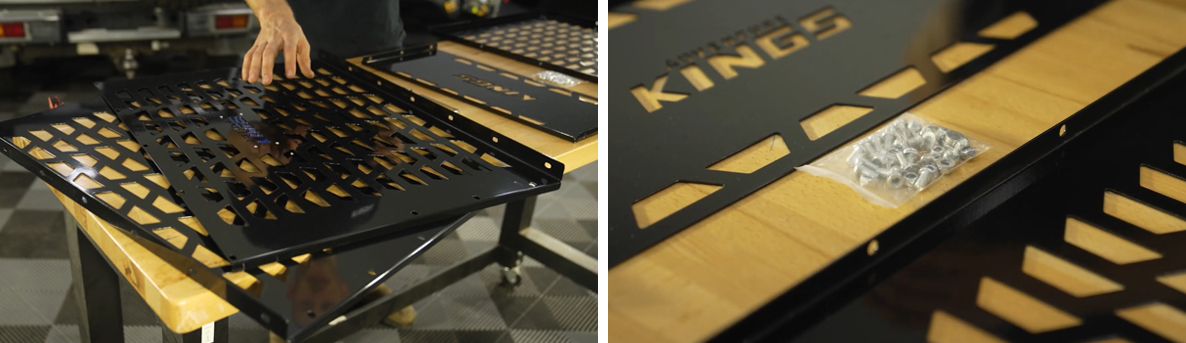
Firstly, lay out all of the components on your work bench. In the box there will be two side panels, a rear panel, and a top panel, as well as the mounting hardware (M6 buttonhead screws, washers and nuts).

STEP 2
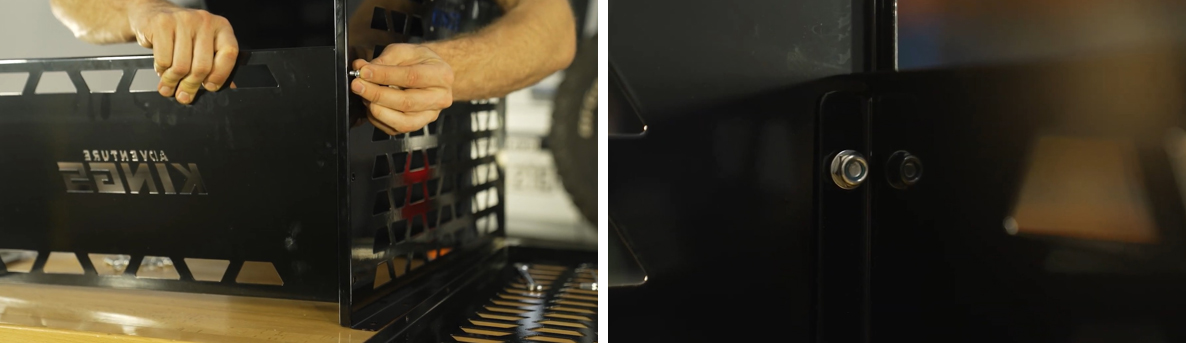
Then, to assemble the sides, stand one side panel and the rear panel upright; the blue Adventure Kings logo on the side panel should be facing outwards. From here, position the rear panel on the inside of the lip of the side panel, and line up the holes. Connect the panels together using three of the supplied M6 buttonhead screws, washers and nuts. Loosely tighten them together.
STEP 3
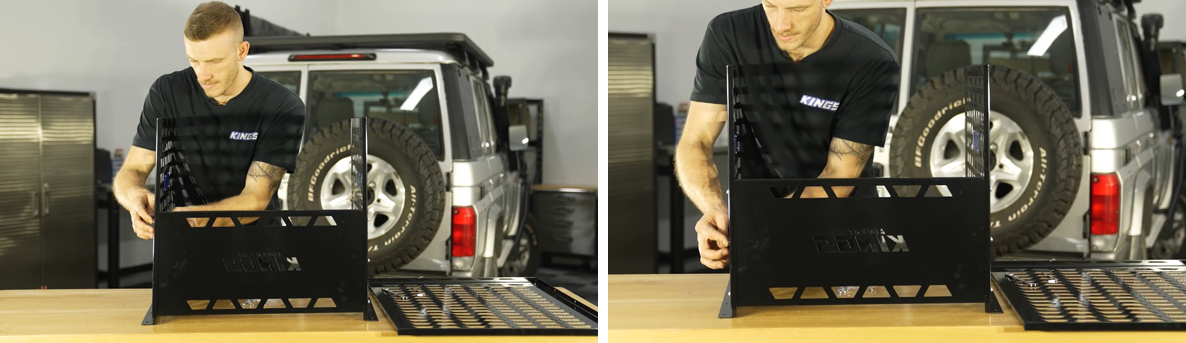
Repeat step 2 for the other side.
STEP 4
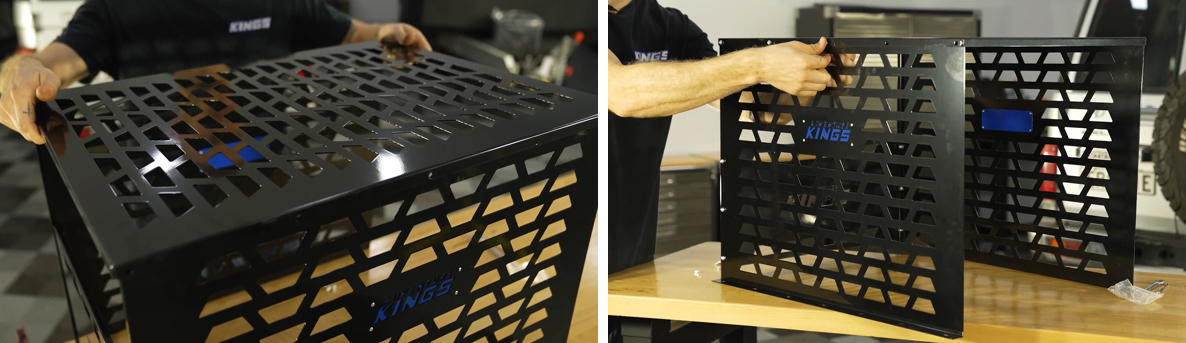
Now, place the top panel onto the assembly. Note that the top panel sits outside of the side panels. Then, connect the top panel using ten M6 buttonhead screws, washers and nuts. Loosely tighten them together.
STEP 5
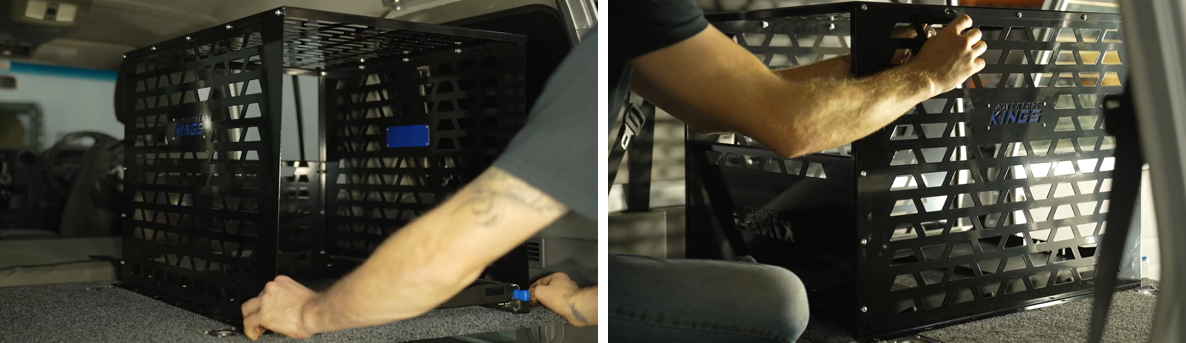
Transfer the barrier to the desired location inside your vehicle, and make sure everything lines up. Once you’re happy, tighten the screws using your spanner and allen key.
STEP 6

Once the barrier is in place, drill the wood screws through the holes along the outside of the side panels to the rear drawer top. Note: in this video we have secured the Fridge Barrier to the top of our Adventure Kings Titan Rear Drawers using wood screws and washers, so this step may differ slightly depending on your set up. Then you’re done!
Related Products