 Australian Owned & Operated Company



Phone lines open 8am-8pm AEST
- Specials & New
- Fridge/Freezers
- Batteries
- Camping Canvas Bags & Storage
- BBQ Canvas Bag
- Camp Oven Canvas Bag
- Clear Top Canvas Bag
- Clear Top Tall Canvas Bag
- Doona/Pillow Case Bag
- Canvas Recovery Bag
- Recovery Tracks Canvas Storage Bag
- Canvas Air Compressor Bag
- Roof Top Canvas
- Canvas Toilet Bag
- Canvas Toiletry Bag
- Canvas Travel Bag
- Canvas Fire Pit Bag
- Canvas Swag Bag
- Canvas Folding Solar Panel Bag
- Canvas Induction Cooker Bag
- Premium Duffle Bag
- Universal Storage Bag
- Gas Stove Canvas Bag
- 45L Tough Storage Box
- 78L Tough Storage Box
- 156L Tough Storage Box
Camping Accessories- Camping Chair
- Camping Table
- Collapsible Range
- Pocket/Dash Organiser
- Hanging Camp/Kitchen Caddy
- Upright Organiser
- 12v Heated/Electric Blanket
- 3m Sand Safety Flag
- Premium Roof Top Bag
- Car Seat Organiser
- Dirty Gear Bag
- Premium Duffle Bag
- Half Length Roof Top Bag
- Kings Plus Premium Seat Covers (Pair)
- Premium Canvas Seat Covers
- Premium Neoprene Seat Covers
- Heavy Duty Seat Covers
- Paddleboards
- His and Hers Vacuum Travel Mug
- Ground Grabba
- Supa Peg
- First Aid Kits
- Outdoor Protection
- Firelighter
- Solar & Power
- 4WD
- Stores
- Tips & Tricks

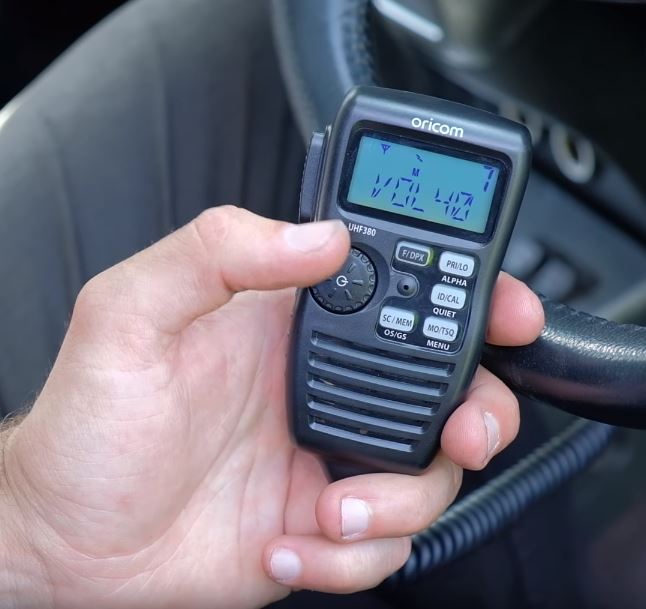
10 Tips for using a UHF radio
Whether you are new to the scene or are an old bushy, there are many tips and tricks to getting the clearest communication whilst using a UHF radio.
There are many important things to keep in mind when using a UHF Radio, we recommend finding the instruction manual for the particular UHF unit you own for more specific details on how to adjust the settings.
1 Be courteous
First step is first the etiquette of using a UHF radio dictates that you wait until the other person finishes speaking before keying on, when using a UHF unit you cannot hear incoming transmissions if you are keyed on and if they are still speaking your transmission will likely go unheard.
2 Don’t eat the microphone
This one’s a zinger, too many people make this epic mistake, the microphones built into UHF radio’s are super sensitive and a beginners first mistake is to put the microphone directly up to their mouth, this results in a distorted mess on the other end.
The best way to approach this is to talk across the microphone and have it placed about a hand width away from your mouth, this will prevent your breath from distorting the sound.
4 Know the channels you can use
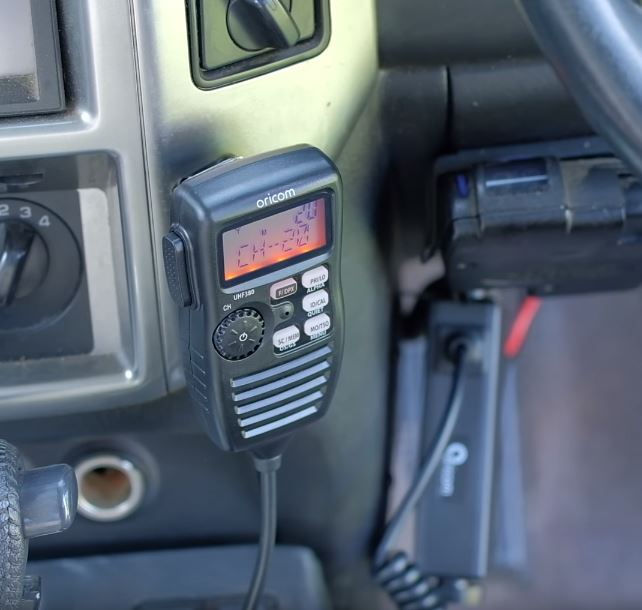
The Australian government recently introduced new legislation to protect a handful of UHF Channels and reserve them for emergencies and data transmissions, along with the introduction of 80 channel UHF devices means there are many extra channels now available that you can use. However older devices can still operate on the older predesignated 40 channels (ch1-ch40) and operate just fine.
It is important to only use Channel 5 and Channel 35 only during an emergency, generally you will need to engage duplex mode, and wait for a response. If misused heavy fines apply and potential jail time for using these emergency channels when not in a real emergency apply so be careful!
5 Know your range
Many people forget that a UHF radio can in ideal conditions reach up to and beyond 25km. This factor can be forgotten, and pointless chatter can be heard well down the way so keep the banter low key and make sure no one else can listen in before getting rowdy!
Different radio wattage ratings and different antenna decibel ratings offer varying reception and transmission range. With your typical vehicle mounted 5W UHF like the Oricom UHF380PK coupled with the included higher gain 6.5dBi you can reach up to 25kms.
Whilst lower powered devices like the Oricom UHF2190 handheld UHF units offer 2W of power and next to no gain on the antennas giving far less range and approximately 5km range.
All radio ranges operate by line-of-sight, which means mountains, trees and even your own vehicle can block out the signal resulting in far shorter range.
6 SCANNING
Most UHF devices like the Oricom devices on offer at 4WD Supacentre, have a scan function. You may not understand why you would require a scan function but this can come in handy whilst 4WDing, if you leave your radio on scan, it will constantly skip through the whole range of channels searching for transmissions in the area that your unit can receive. This will give you a heads up if there are others in the area that are also 4WDing, it can also give you a way of communicating with other vehicles in case you need a recovery.
This doesn’t always work but if people are out there it is good to know if you can get a hand if you need it.
7 Duplex vs Simplex
Duplex function transmits on one channel and receives on another, it allows the use of a repeater station which is a base station that picks up on the transmission output by your device and resends the transmission from an elevated high-power antenna resulting in a much further transmission.
We know of a situation where people were using Duplex via a repeater station to transmit between 2 locations that had no line of sight but were approximately 4kms or 5kms away with a large hill in between. And using duplex reached a repeater 20km away from them and could read each other loud and clear!
9 LINGO
There are a few pro bits of slang you must know, you may have heard some of these before;
Breaker, breaker – This is used to start a transmission, it implies a message is about to come through, usually the first and last word of a sentence is repeated in case it gets interrupted by other transmissions.
10-4, copy that, roger – Translates to message heard loud and clear!
What is your 20 – what is your location
Affirmative – Means yes, just like with phonetic alphabet (Alpha, Bravo, Charlie… etc) sounds can be hard to hear. This is a clearer way to confirm information over the radio
Negative, negatory – Means no (as above)
10 KEEP 2 RADIOS
It is good practice to make sure you have a spare radio, we prefer 1 handheld and 1 vehicle-mounted unit, as this will allow your passengers to communicate with your vehicle when guiding you through tough tracks, and also lets you scan monitor different channels whilst driving.
Hopefully from this guide you have learned more about using your UHF, they are fun and they are free, and they don’t require any mobile phone towers to operate, so can make convoys and remote area driving, easier and safer. So fit a UHF radio to your 4WD and grab a handheld so you can have more fun on the tracks!
